
When your shop is small, stock feels simple. You can “see” it in your head. You know what is on the shelf, what is half-finished, and what is waiting for materials.
Then you grow. Orders come in while you are packing other orders. A customer messages with a change. You add a new color. You run a sale. You list on another channel. Suddenly, over selling shows up like an uninvited guest who eats all your snacks and leaves the door open.
This is not a character flaw. It is a systems problem. The good news is that systems can be fixed, and you do not need a fancy warehouse to do it.
If you are still building your foundation, the Etsy selling academy covers the basics that make scaling smoother later.
Why Scaling Makes Overselling More Likely?
Scaling changes one big thing: time stops being “quiet.”
At a smaller size, you can update stock after dinner. You can restock when you feel like it. You can notice problems early because the shop is calm.
At a bigger size, your shop has moving parts all day. Listings are live, carts are active, and orders can stack up fast. If your stock updates lag behind real life, your shop can sell an item that is no longer available. That is how you end up with items out of stock situations that surprise you.
A common moment looks like this:
- You have 3 units of the best seller.
- Two sell on Etsy within an hour.
- One sells on another channel before you update anything.
- Etsy still shows stock, and a fourth person buys.
Now you are stuck explaining why the product is out of stock, even though the listing looked fine. The bigger the shop, the more often this can happen, unless stock rules are tight and boring in the best way.
The Chain Reaction That Leads to Over-Selling
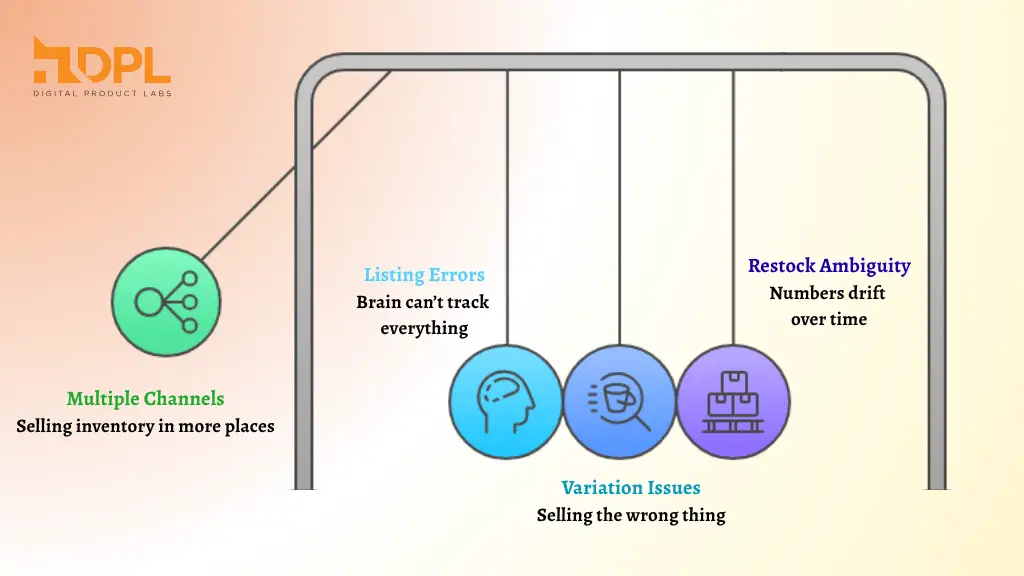
This is the pattern I see most often. It usually starts small and grows quietly.
- You Sell the Same Inventory in More Than One Place
If you are trying to avoid overselling inventory across multiple channels, you already know the pain. Each channel has its own timing. A sale can happen on one platform while another still shows stock. That time gap is where trouble lives. - Your Listings Multiply, and Your Brain Cannot Track Everything
More listings mean more chances for small errors. One listing might be set to “made to order,” while another is “ready to ship.” One has the right quantity, another has the old quantity. Tiny mistakes add up. So, make sure you follow this simple Etsy listing checklist to avoid any messy orders. - Variations Make It Tricky
A blue mug might be in stock, but the green mug is not. If your listing treats them like one bucket, you can sell the wrong thing. Then you are back in the “sorry” message loop. So you need to learn how to manage Etsy variations to avoid such setbacks. - Restocks Are Not Counted the Same Way Every Time
Sometimes you restock by making more products. Sometimes you restock by buying supplies. Sometimes you restock by finding a box you forgot you had. If you do not have one clear rule for when stock becomes “real,” your numbers drift.
That’s how overselling creeps in, even when you are working hard and doing your best.
How To Spot the Problem Before It Becomes Refunds and Bad Reviews?
You do not need complicated reports. You just need a few early warning signs.
Watch for these red flags:
- You cancel orders more than once a month due to stock.
- You regularly message customers to swap colors or sizes.
- You are getting repeated “when will this ship?” messages because you are scrambling.
- Your best sellers feel stressed instead of excited.
If any of that sounds familiar, you are not alone. A lot of sellers hit this stage right when they start scaling, because scaling exposes weak spots.
Fixes That Work When You Are Growing Fast
You do not have to do everything at once. Pick one fix that matches your shop today.
1) Create One “Truth” For Inventory
Decide where the inventory is counted from. Some sellers count from finished items only. Others count from materials and production capacity. Either can work, but mixing them creates chaos.
A simple rule is: “If it is not ready to ship, it is not stock.” That rule alone can reduce over selling, because it stops you from counting future work as current inventory.
2) Use Low-Stock Buffers
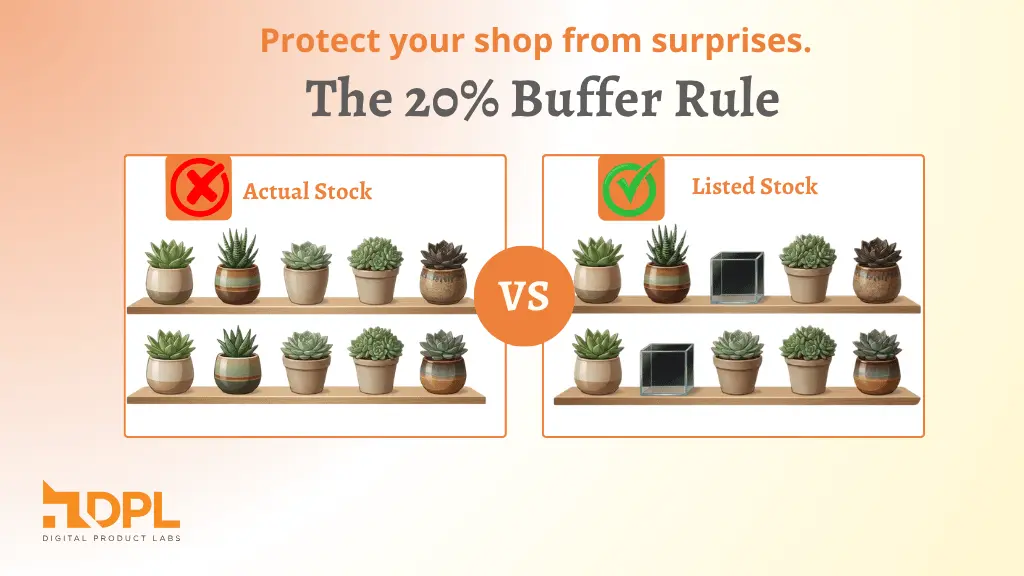
If you have 10 units, list 8. Keep 2 as a safety cushion for mistakes, damage, or surprises. This feels annoying at first, but it saves you when life happens.
Buffers help you avoid the scary moment where you realize an order is an item out of stock after it has already been paid for.
3) Tighten Variation Quantities
If one variation sells faster, give it its own quantity rules. Do not treat all options as equal. If you do, your best variation will sell out first, and the listing may keep selling it anyway if your setup is messy. Learn how to set up Etsy variations, so buyers know what to pick with confidence.
4) Make “Restock” A Real Step, Not A Feeling
Restock should be a small checklist, not a guess.
For example:
- Count finished items
- Update quantity
- Confirm variation quantities
- Double-check delivery time
This reduces the “oops” moment that leads to product out-of-stock messages.
When Should You Consider Tools and Integrations?
If you are small, you can manage with routines and buffers. When you are scaling, routines can start breaking, not because you are lazy, but because you are busy.
At that stage, sellers often look for integrations to prevent overselling and reduce backorders so stock updates happen without manual chasing. The point is not to be fancy. The point is to stop spending your brain power on counting. Many growing shops reach a point where they need a system built to stop overselling on Etsy when using Shopify instead of relying on manual updates.
A Simple Weekly Routine That Keeps Stock Honest
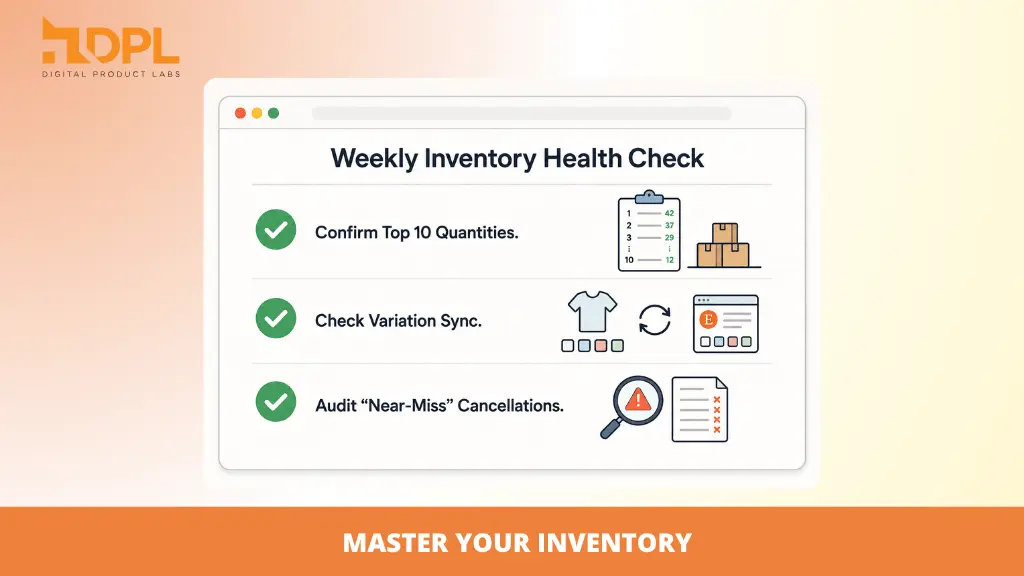
Here is a routine that works even if you hate spreadsheets.
Once a week, do this check:
- Look at the top 10 sellers and confirm quantities are real
- Confirm your most popular variations are not sharing “one pooled stock” by mistake
- Check for listings that say “in stock,” but you cannot find the item
- Review any cancellations or near-misses and write down the cause
This is boring. That is why it works. Boring systems protect your shop.
Sellers managing stock across platforms often explore Etsy integration for Shopify options when manual syncing starts taking too much time.
FAQs
Why Etsy sellers oversell more often as their Etsy shop grows?
Over-selling usually increases when your shop expands because you have more listings, more variations, and sometimes more sales channels. When stock updates are not synced properly, your shop can sell items that are no longer available.
How can I avoid the item out of stock problems on Etsy?
You can reduce out-of-stock issues by using stock buffers, checking top-selling items weekly, and having a single clear rule for what counts as “available.” Selling across multiple channels without clear stock control increases risk.
What should I do when a product is out of stock, but a customer has already ordered it?
First, respond quickly and honestly. Offer a refund or an alternative. Then review why the stock count was wrong. Most cases of a product being out of stock happen because the inventory was not updated in real time.
Is there a way to avoid overselling inventory across multiple channels selling?
Yes. The simplest approach is to choose one inventory “source of truth” and update other channels from that source. As you grow, you may want to explore multi-channel Shopify-Etsy integrations to prevent overselling, reduce backorders, and automate stock syncing.
How often should I check my inventory to prevent over selling?
If you are small, once a week may be enough. If you are scaling fast or selling across platforms, you may need daily checks or automated syncing. The more volume you handle, the tighter your stock routine should be.
Conclusion
Scaling is supposed to feel good. If it feels like a constant fire drill, you are not failing. You just need tighter stock rules.
Start with one change: a buffer, a clearer restock rule, or a single “truth” for inventory. Then add the next change when that one feels normal. That is how you grow without waking up to over selling surprises.
And if you ever find yourself typing “sorry, the product is out of stock” again, take it as a signal that your shop has outgrown your current system, not that you have done something wrong.